
AI Chatbot · Enterprise
Answer customers instantly — straight from your docs
Most support questions have already been answered in your documentation. The Scitor chatbot puts those answers one chat bubble away: a themeable widget you add to any website with a single script tag. When the docs don't have the answer, the visitor escalates to a real ticket — transcript included.
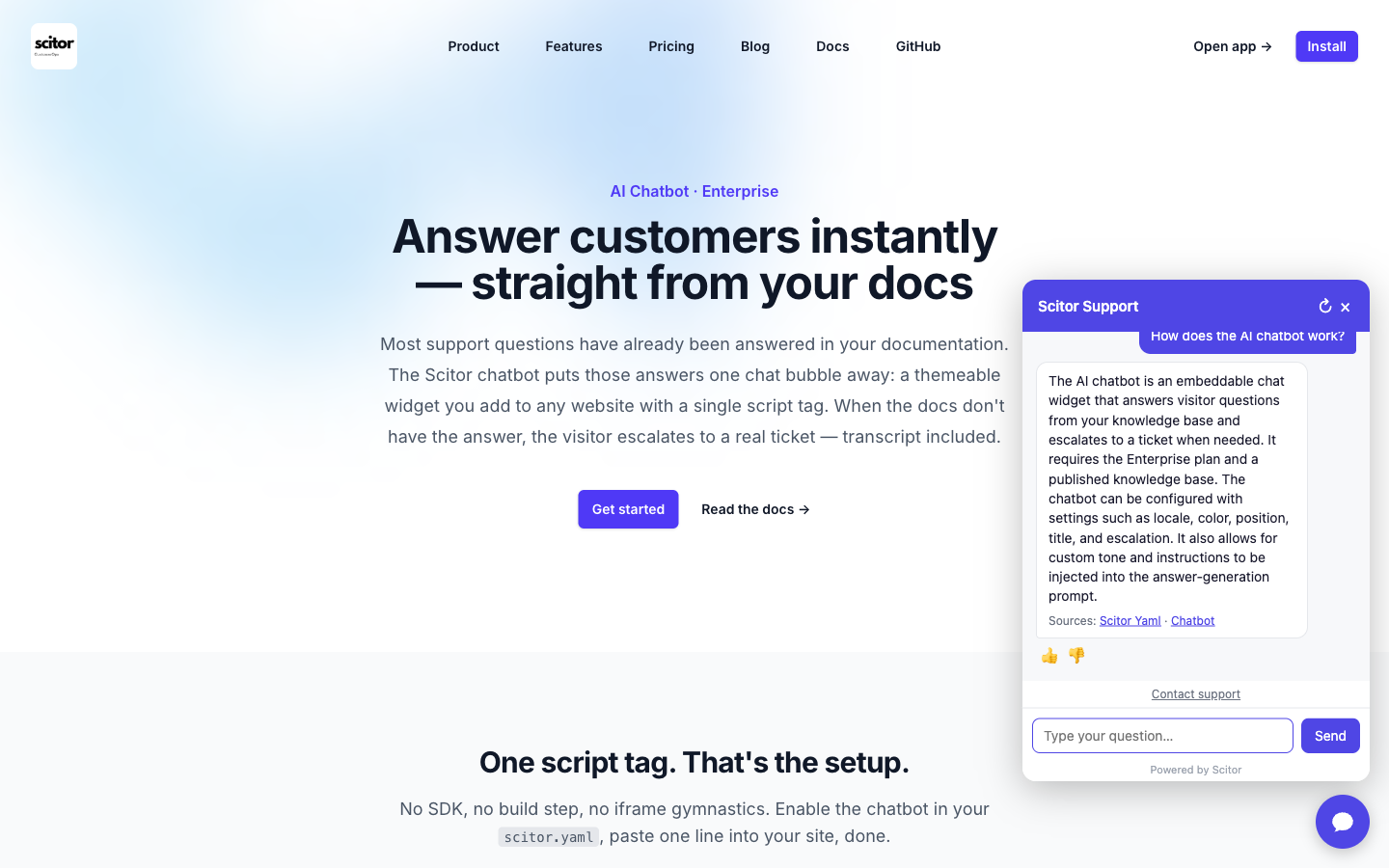
The chatbot is live on this page — click the bubble in the bottom right to try it.
One script tag. That's the setup.
No SDK, no build step, no iframe gymnastics. Enable the chatbot in your
scitor.yaml,
paste one line into your site, done.
<script
  src="https://api.scitor.io/widget/chat.js"
  data-form="YOUR_FORM_ID"
  async
></script>
Localizable (English, Dutch, German, French — every string overridable), themeable (your color, left or right corner), and isolated in a shadow DOM so it never fights your site's CSS.
How it works
Your documentation is the single source of truth — for your docs site, your agents' draft replies, and now your chatbot. Drop PDFs into the docs folder and they're answerable too.
- 1
A visitor asks a question
Your customer clicks the chat bubble and types "How do I reset my router password?" — in any language.
- 2
Scitor searches your docs
The question is matched against your knowledge base — the same Markdown docs (and PDFs) that power your hosted documentation site.
- 3
AI answers, with sources
A short answer is generated strictly from the matching articles, with links to the source pages. No docs match? The bot says so honestly.
- 4
Escalation when it matters
One click opens a contact form. The submission becomes a GitHub Issue or Discussion with the full chat transcript attached, so your team has context.
A chatbot you can put in front of customers
Public AI widgets attract misuse. This one is built for it.
Answers only from your docs
The bot is grounded in your knowledge base. Off-topic questions — recipes, homework, other products — get a polite refusal and an escalation offer, never a made-up answer.
Prompt-injection resistant
"Ignore your instructions" doesn't work. Visitor messages and document content are treated as data, never as commands.
Rate limited by design
Per-visitor and per-site limits keep abuse and costs in check. When limits are reached, the widget gracefully falls back to the contact form.
Private by default
Conversations are never stored on our servers. The transcript lives in the visitor's browser and is only saved if they choose to escalate to a ticket.
Full details on data handling are on our AI transparency page.
Visibility and control, built in
Everything you need to understand what the bot is doing — and tune it for your audience.
Chatbot analytics
See conversation volume, deflection rate, escalation rate, and visitor feedback (👍/👎) — per day and per month — in your Insights tab.
Knowledge gap reports
Unanswered questions and thumbs-down answers are clustered by similarity and surfaced in a dashboard. One click creates a GitHub docs issue so your team can fill the gap.
Suggested questions
Define up to 4 tappable question chips that appear when the chat is empty. Visitors get a head start; you steer them toward the content you know answers the most common queries.
chatbot:
  enabled: true
  suggestedQuestions:
    - How do I reset my password?
    - What's included in the Pro plan?
    - How do I cancel my subscription?
Custom tone & instructions
Add up to 2 000 characters of tone and style guidance. The bot applies them — but grounding rules always win: your instructions can never make it answer from outside your docs.
chatbot:
  enabled: true
  instructions: |
    Reply concisely. Use a friendly, informal
    tone. When users ask about pricing, always
    mention the free trial.
Privacy note: only the text of unanswered or thumbs-down questions is stored (PII-stripped, 90-day retention). Full transcripts are never sent to our servers.
Deflect the easy questions. Catch the hard ones.
The AI chatbot is included in the Enterprise plan, together with the contact database, customer history, and unlimited outbound email.